
Appearance
Profit & Loss Reports
Reports in the Inventory header opens a profit and loss statement for a date range you choose: an income statement for your reselling that you can print or export.
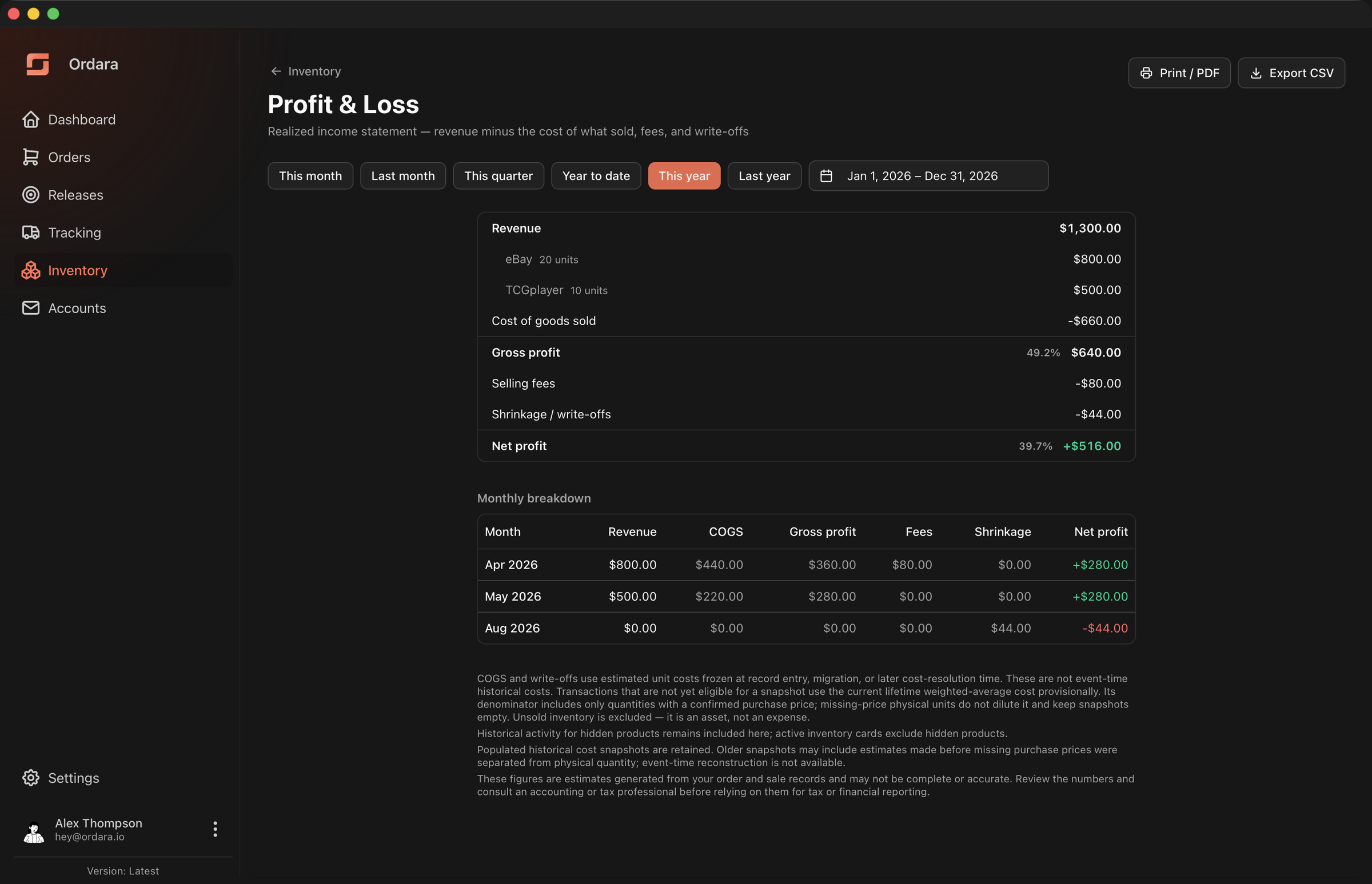
Choosing a period
The preset buttons are This month (the default), Last month, This quarter, Year to date, This year, and Last year. The date picker beside them takes any custom range. Both ends are inclusive. A sale belongs to the period containing its Sold on date, and a write-off to the period containing the day you recorded it.
Reading the statement
| Line | Amount | Margin |
|---|---|---|
| Revenue | $1,300.00 | |
| eBay | $800.00 | 20 units |
| TCGplayer | $500.00 | 10 units |
| Cost of goods sold | −$660.00 | |
| Gross profit | $640.00 | 49.2% |
| Selling fees | −$80.00 | |
| Shrinkage / write-offs | −$44.00 | |
| Net profit | $516.00 | 39.7% |
- Revenue: everything you sold in the period, broken down by channel. Sales with no channel are grouped as Unspecified; the breakdown is hidden when that is the only channel.
- Cost of goods sold (COGS): what those units cost you, at the cost frozen onto each sale. See How the Math Works.
- Gross profit: revenue minus COGS, with margin as a percentage of revenue.
- Selling fees: the fees attached to the period's sales.
- Shrinkage / write-offs: inventory you lost, valued at cost. Shown only when there is some.
- Net profit: gross profit minus fees minus shrinkage.
When the period's activity spans more than one month, a Monthly breakdown table appears beneath the statement with Month, Revenue, COGS, Gross profit, Fees, and Net profit, plus Shrinkage when there is any.
The amber banners
Up to three warnings can appear above the statement. Each means some sales or write-offs in the period are still provisional, so their cost can change. Each names the affected products, with hidden ones marked (hidden). They are part of the printout and the CSV export.
| Banner | Cause | Effect on the figures |
|---|---|---|
| Purchase prices are incomplete | A purchase behind a product has no price | Cost covers only the known prices; with none known, units count $0 |
| Some units are valued at $0 | Nothing priced is left behind a product, e.g. every order cancelled | COGS and shrinkage understated, net profit overstated, unless the units really were free |
| Some units are valued at an incomplete cost | Some of the product's purchases are still in Needs review | Can be off in either direction until you clear the queue |
What to do about each is in Accuracy & Limitations.
The accounting model
The statement is realized: it reports profit from the sales and write-offs that happened in the period, and nothing else.
Revenue is recognized on the sale date, not when the money reached your account. Sold March 30 and paid April 3 is March revenue.
Cost is matched to what sold. Only the units sold in the period are expensed.
Buying stock is not a loss
Unsold inventory never appears on this statement. Spending $2,200 on stock you still hold has converted cash into an asset; it becomes an expense only when the units sell, as cost of goods sold.
So the two pictures can point in opposite directions. Spend $2,200 restocking in March and sell nothing: your bank balance is down $2,200, but March's statement shows $0 cost of goods sold and $0 profit. This statement answers "did I make money on what I sold"; your bank balance answers "do I have more or less cash than I started with".
Write-offs are an expense. Units removed as Damaged, Lost or stolen, or Other are charged at cost, in the period you recorded the adjustment.
Two reasons are not. A Count correction fixes a wrong number in your records. Personal use is stock you took for yourself, a draw rather than a business expense. Both still change on-hand; neither reaches this statement.
Costs are frozen, not historical. COGS and shrinkage use the cost frozen onto each sale and write-off, so restocking at a different price does not move a period you have already reviewed. That cost is the product's weighted average when it was frozen, not what you paid for those particular units. A transaction Ordara could not value yet stays provisional at the current average; the banners above say when that applies. The statement's footnotes repeat this, and note that older frozen costs may be estimates; see Accuracy & Limitations.
Export a copy while a period is still provisional
A statement with no amber banner is settled and will not change. If one is showing, export the CSV now rather than later.
Hidden products still count here
Hiding a product removes it from active inventory and the inventory CSV, but its history stays on this statement. Hiding does not restate the past.
Print and export
- Print / PDF prints the statement alone, without the sidebar, so you can save it as a PDF. It is disabled while a newly chosen range is still loading (the screen says which range it is still showing), and when the statement failed to load.
- Export CSV writes the monthly breakdown with a total row, then the channel breakdown. See Exporting.
When a period is empty
A range with no sales and no write-offs shows "No sales or write-offs in this period." instead of a statement of zeros.